

Let’s face it — gray hair sneaks up on everyone eventually. Whether it’s a few silver strands or a full transition, it’s natural to want to touch things up.
But here’s the catch: covering gray shouldn’t mean flattening the life out of your hair.
The biggest mistake? Losing texture while fixing the tone.
People often rush into covering gray strands without thinking about how much the natural texture matters. That wave, that curl, that slight frizz – that’s part of what makes your hair look real and not like a plastic helmet. And this applies to photos, too.
If you’re tweaking your look digitally, your results need to reflect the same texture you see in the mirror– just, you know, minus the grays.
One simple and surprisingly effective tool is the gray hair color app https://retouchme.com/. This one keeps the natural flow and detail of your hair intact, even while gently masking the silver.
You still look like you – just a bit more refreshed.
Why Texture Makes a Big Difference
Here’s why keeping hair texture matters in every fix:
- It keeps the result looking realistic. Nobody’s fooled by a perfect block of brown or black. Real hair catches light differently across strands.
- It maintains the shape of your hairstyle. Especially with curls or waves — texture defines volume and direction.
- It helps blend the correction better. If the texture remains, gray blending looks like part of your actual hair rather than pasted over it.
If you’re using something like RetouchMe, this isn’t a worry — the corrections are subtle and handled by actual designers who know how to keep all the little details that make your hair feel alive.
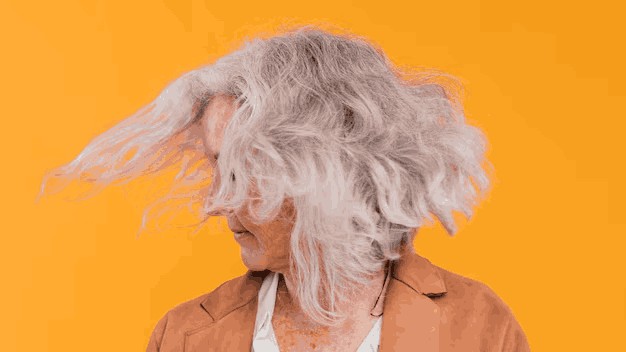
Common Mistakes to Avoid When Hiding Gray in Photos
Trying to correct gray hair in photos seems easy – until you see the results. Whether you’re doing it yourself or using a quick-fix app, skipping texture is just one of many common issues. Here are a few others:
- Overcorrecting the color until it looks unnatural. Darkening too much makes the hair look like it was drawn on with a marker. Slight adjustments are always better.
- Blurring to hide grays and accidentally removing hairlines. Many apps soften everything, but that kills the edges of your hairstyle completely.
- Ignoring lighting differences. If your gray strands were catching the light, simply painting over them won’t match the surrounding tones. That’s how results end up looking patchy.
- Using filters instead of real fixes. Filters affect the whole image and don’t target just the gray areas. That usually changes your whole face too — not great.
- Not reviewing the result before sharing. Always zoom in and check how the corrected hair blends with the rest.
Getting these small things right means your photo looks like you – just a slightly less gray version.

If you’re worried about using a tool to correct gray hair, just remember – the goal isn’t to erase reality. It’s to smooth it out a bit.
Whether you’re keeping your gray in real life but adjusting it for a photo or just not ready to show those strands in a portrait, there’s no harm in tweaking things subtly.